In Conquer you are the ruler of a nation of humans, elves, dwarves or orcs. You settle land, feed and tax your people, raise armies, learn magic, trade and sign treaties with the other rulers of the world. Some of them are players like you. Others are run by the computer: rival kingdoms, pirates, nomads, savages and dragons.
Nobody has to be online at the same time. You log in when it suits you, give your orders and log out. At the turn update every order in the world is resolved at once, the season changes and a newspaper tells everyone what happened. Then you read the news, and plan again.
You need no installation and no account elsewhere. The game runs in your browser, on a computer or a phone.
History
From Usenet to your browser
Oct 26, 1987
Ed Barlow posts conquest, a middle earth multi-player game to the comp.sources.games newsgroup, in five parts. Players assemble the source code from the posts and compile it on their university Unix machines.
Jan 1988
Adam Bryant sends his first message about the game. He becomes its co-author and later its maintainer.
Jun 16, 1988
Conquer version 3 is posted, now in eight parts.
1988–1989
Version 4, the one you play here, is released and patched up to patch level 12. Games run on shared Unix systems, often with a turn update from cron every night and players logging in from terminals.
1989
Martin Forssen writes PostScript utilities to print world maps, and Richard Caley at the University of Edinburgh writes a map drawing tool.
1990s
Conquer spreads across university networks. Newsletters and discussions continue on rec.games.empire.
2006
Juan Manuel Méndez Rey (Vejeta) starts asking the authors to release the game as free software, with the help of the Debian legal list and GNU Savannah.
2011 – 2025
Adam Bryant (2011), Ed Barlow (2016) and Martin Forssen (2025) give written permission. Conquer 4 is released under the GPL version 3 in 2025.
2026
Conquer Web brings the game to the browser: player accounts, scheduled turns, a public newspaper and scoreboard, a phone key bar, and turns that run early once every ruler is ready.
Oct 26, 2027
Conquer turns 40. We intend to celebrate it with a championship season (see the plan).
The rhythm of the game
How a turn works
Read the newsYour mail and the world newspaper tell you what happened last turn.
Give ordersMove armies, draft troops, build, redesignate land, negotiate. Log in as often as you like.
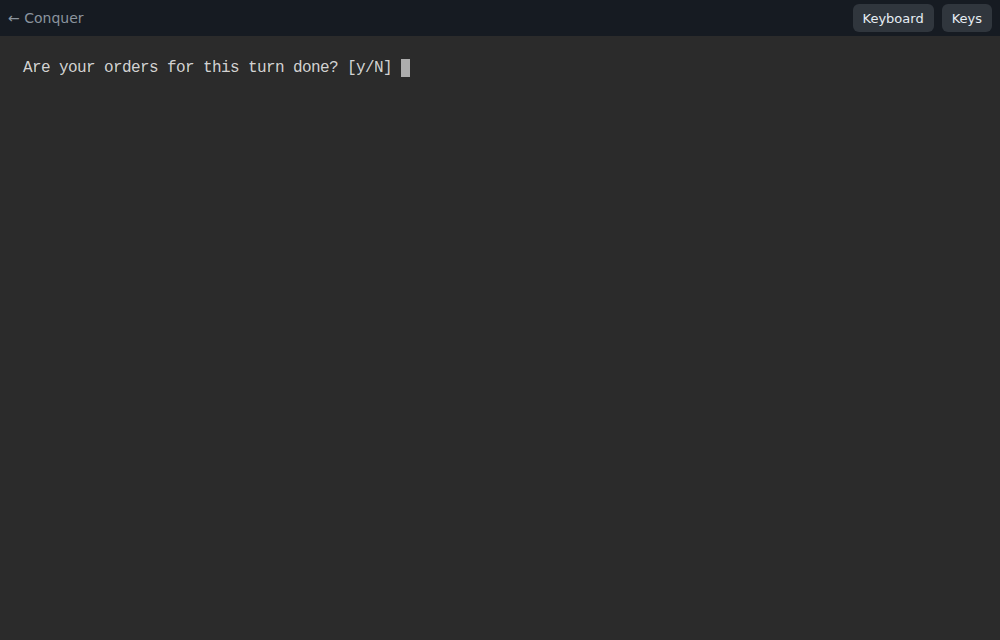
Mark your orders doneWhen you quit, the menu asks whether you are finished for this turn.
Turn updateAt the scheduled time, or earlier once every nation is done. The season advances.
Each turn is one season. Four turns make a year. During the test phase the update runs weekly, on Sundays at 20:00 (Madrid time); the landing page and the game menu always show the exact time and a countdown.
Tutorial
Your first turn, step by step
The screenshots come from a real game on this site, played by the elven nation avalon. For the game itself, key by key, follow your first turn: a recorded first turn of a new nation with every screen.
Ask for a nation
During the test phase the game administrator creates the nations. Send them:
a nation name, up to 9 letters or digits (for example avalon);
a race: human, elf, dwarf or orc;
if you like, a class (king, emperor, wizard, priest, trader, warlord…) and an alignment (good, neutral or evil). The administrator can advise you.
You get back two things: a player account for this site (name and password), linked to your nation, and your nation password, up to 7 characters, which the game itself asks for.
Look at the current game
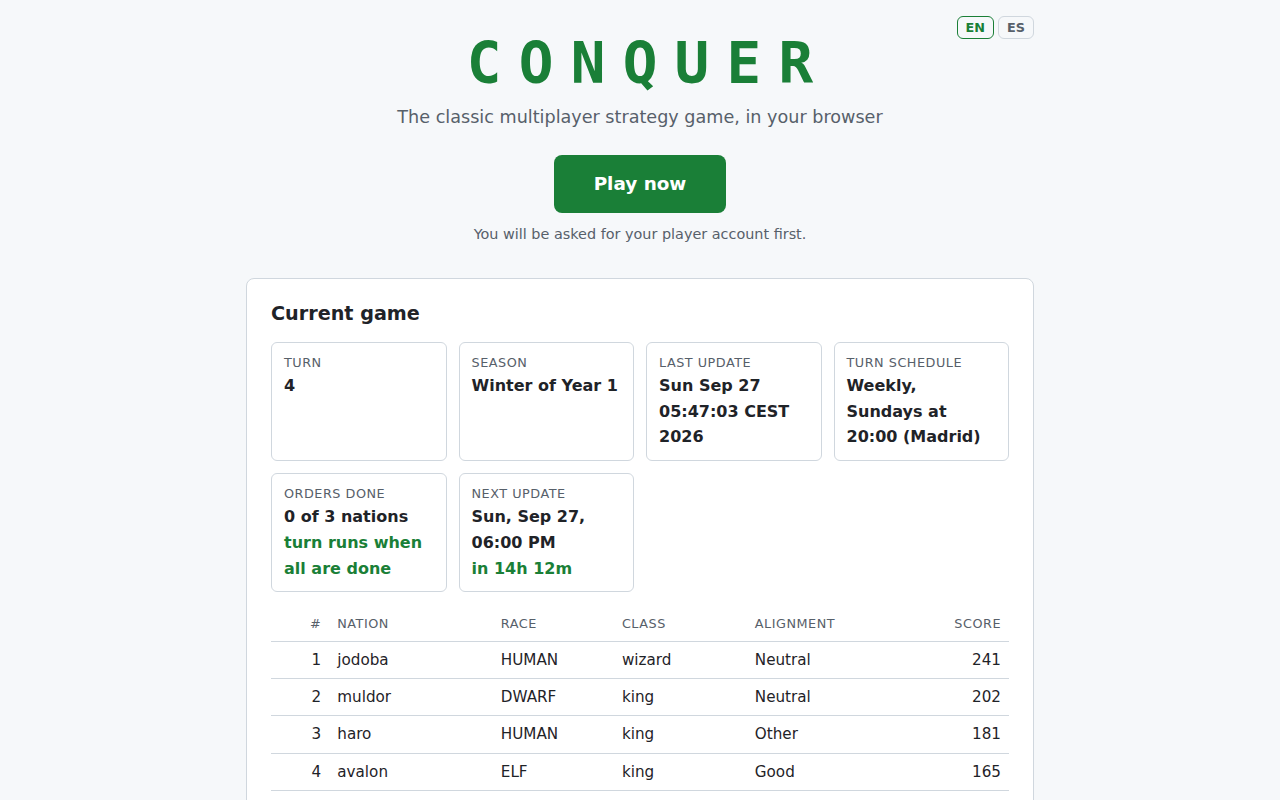
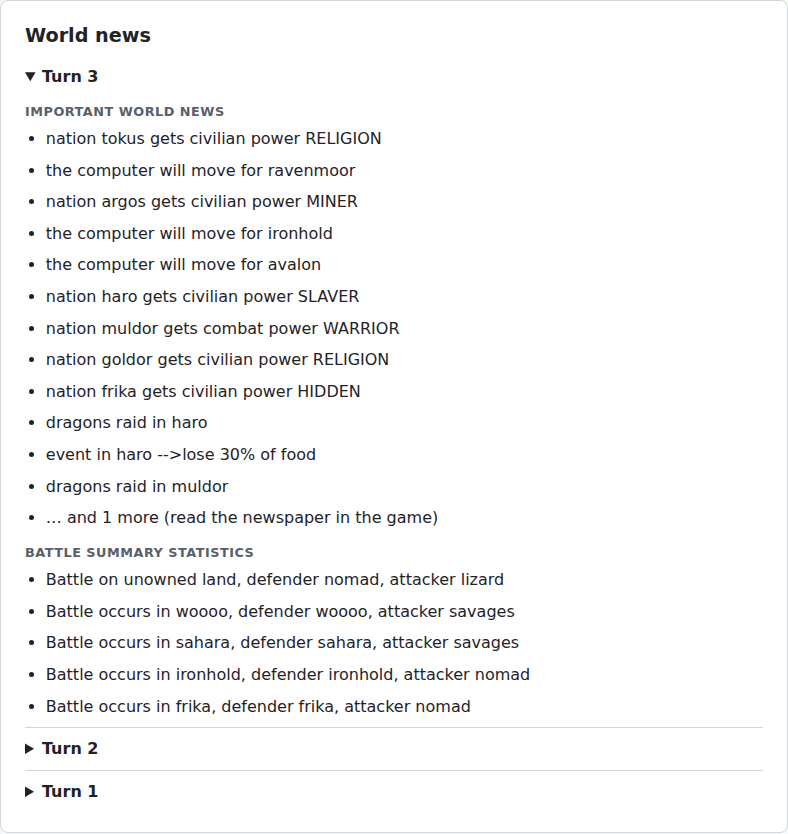
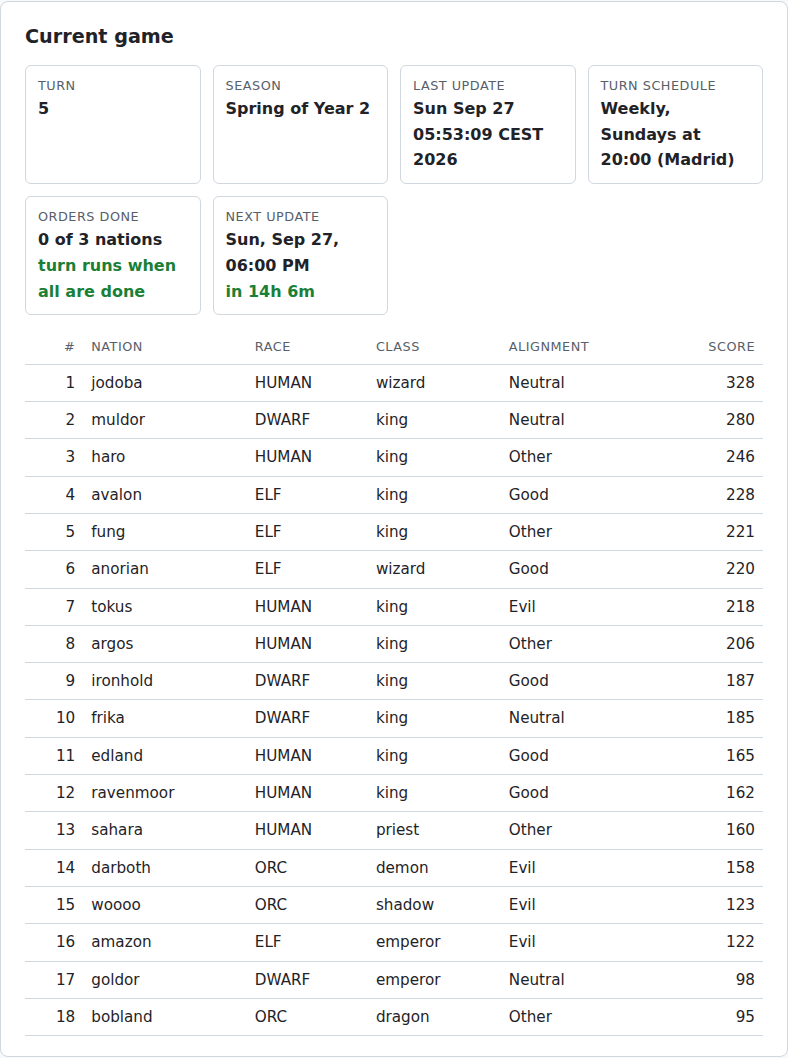
The home page shows the turn, the season, the schedule with a countdown to the next update, how many nations have finished their orders, the scores and the latest world news.
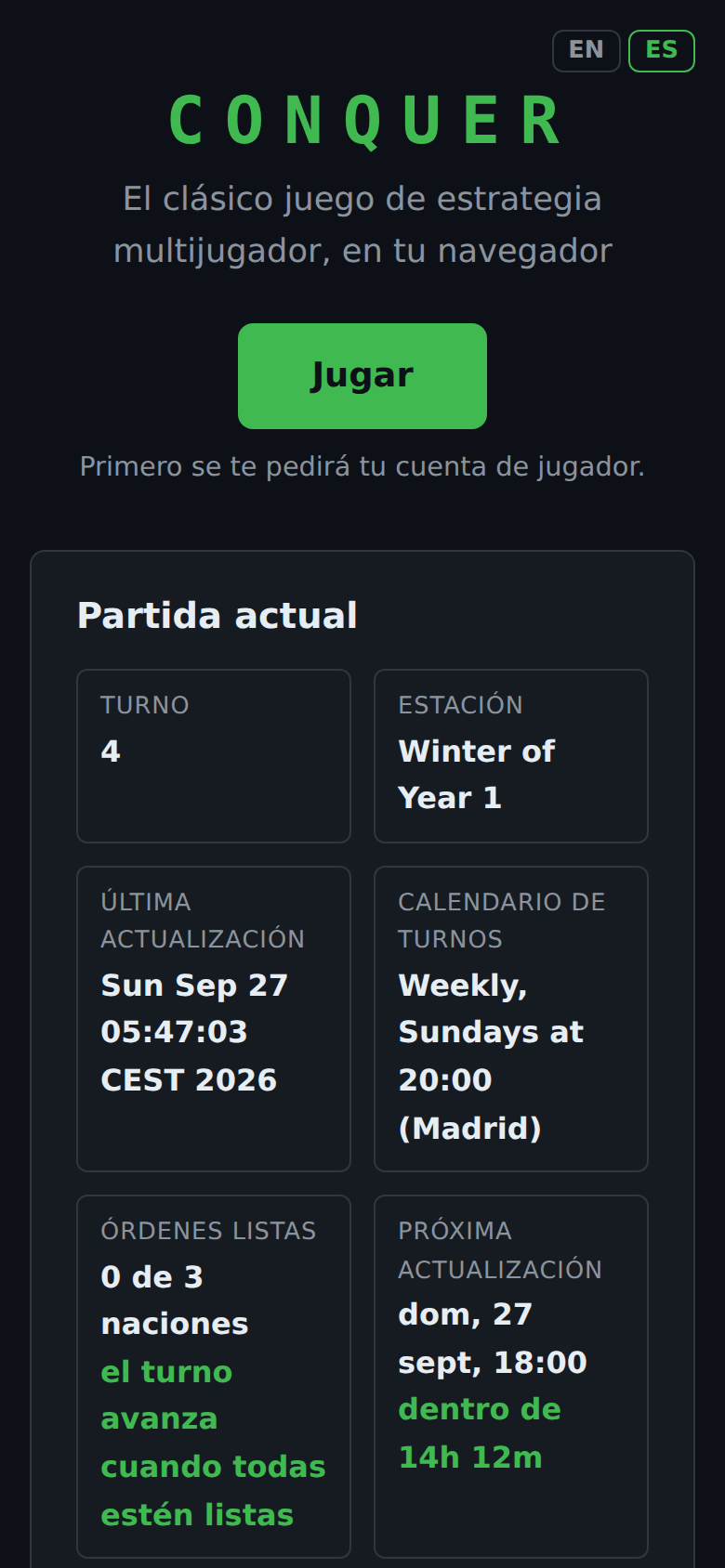
The home page. It is also available in Spanish (ES button).
The world newspaper of the last three turns.On a phone, in Spanish.
Sign in and meet the menu
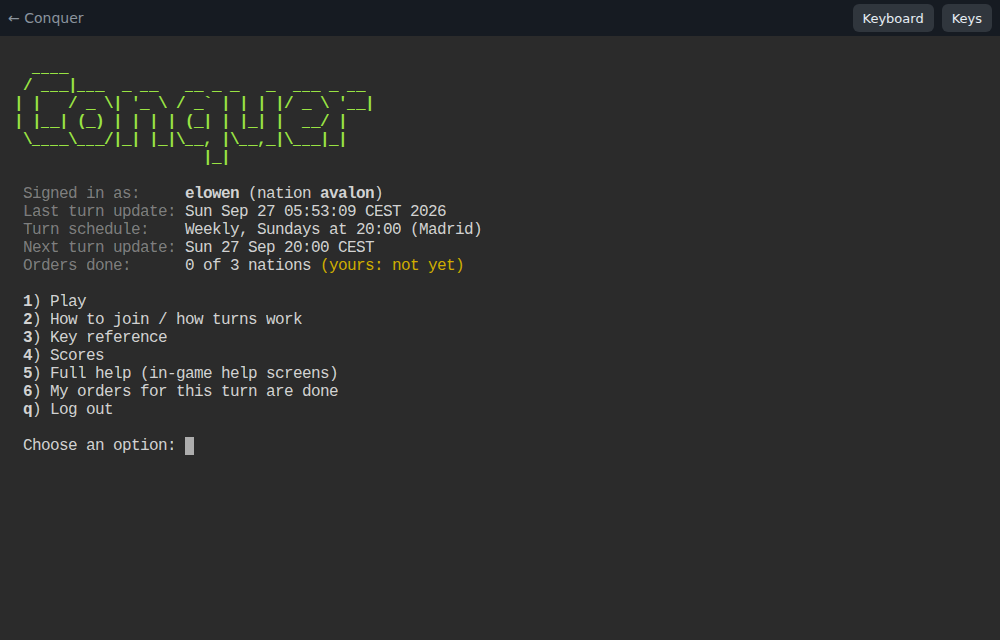
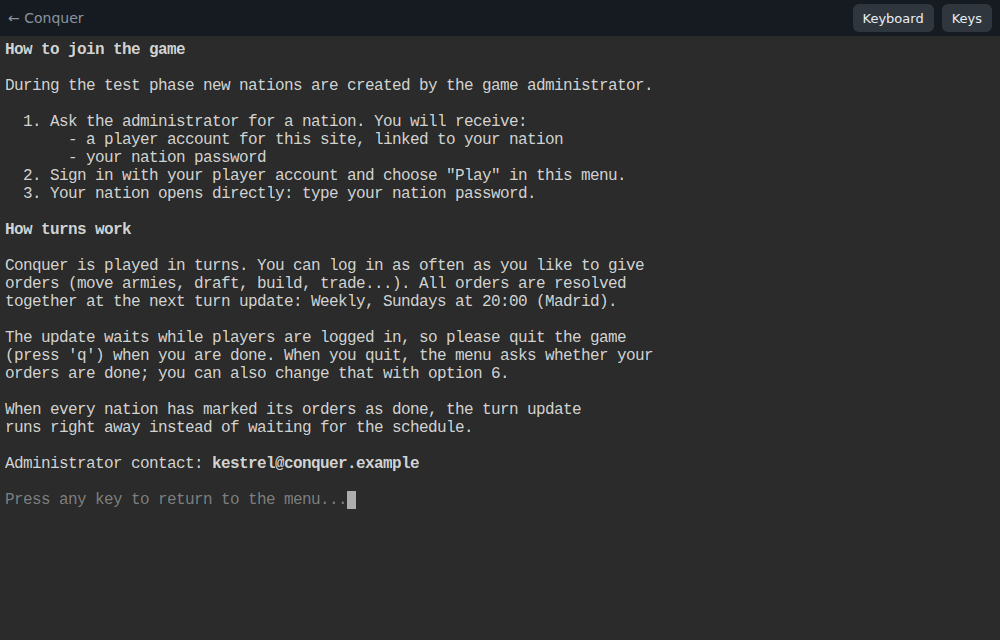
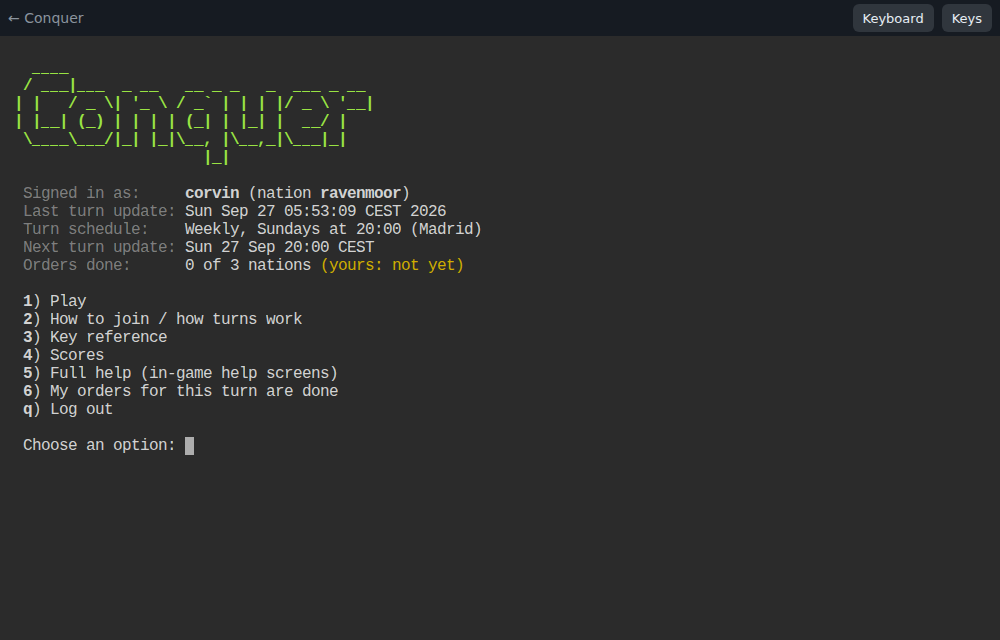
Press Play now. Your browser asks for your player account; you can let it remember it. The game menu then shows who you are, your nation, when the last and next turn updates are and how many nations are done.
The menu. Press a number to choose.
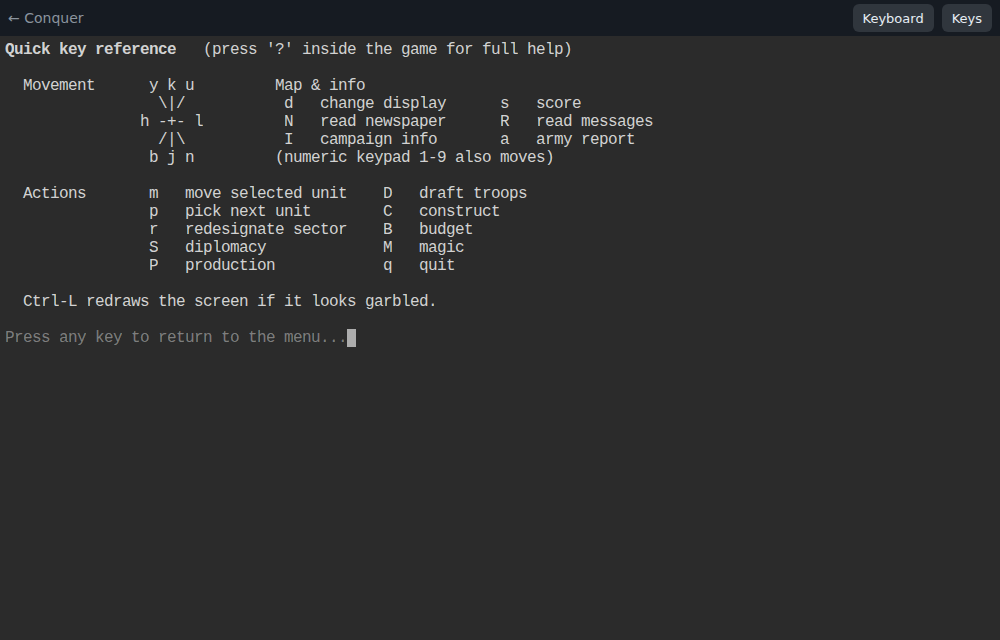
Option 2 explains how turns work.Option 3 is a key reference to keep at hand.
Enter your nation
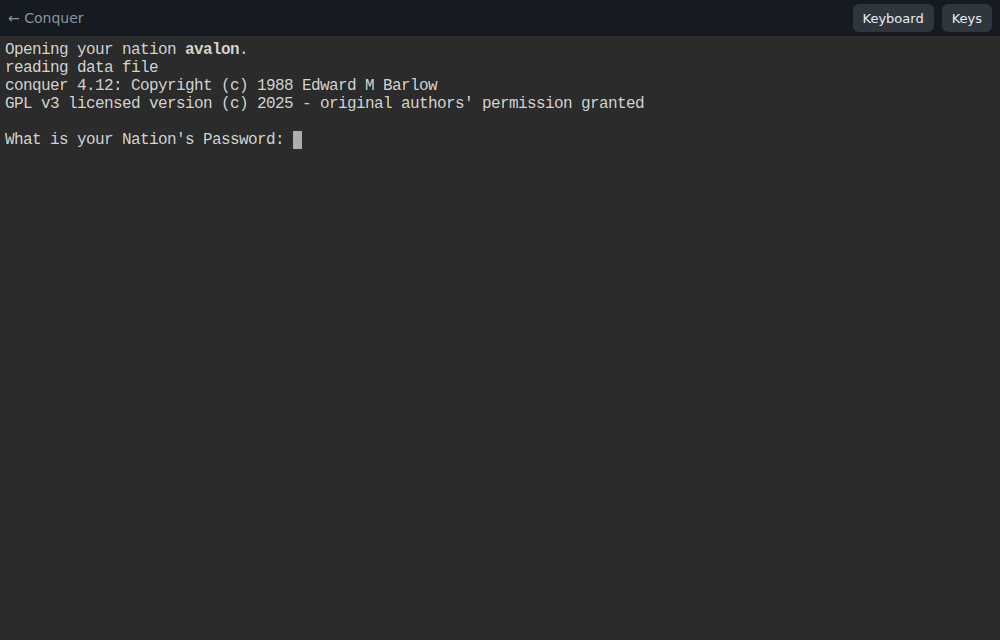
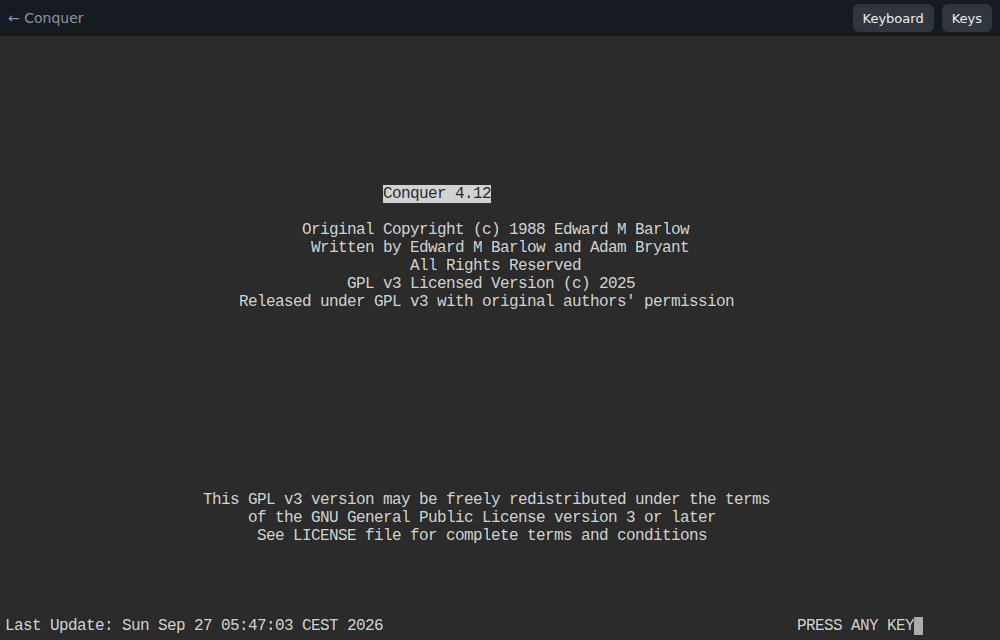
Choose 1 Play. Your nation opens directly: type your nation password and press Enter. Press any key on the title screen.
Only the nation password is asked.The title screen, unchanged since 1988.
Read the map
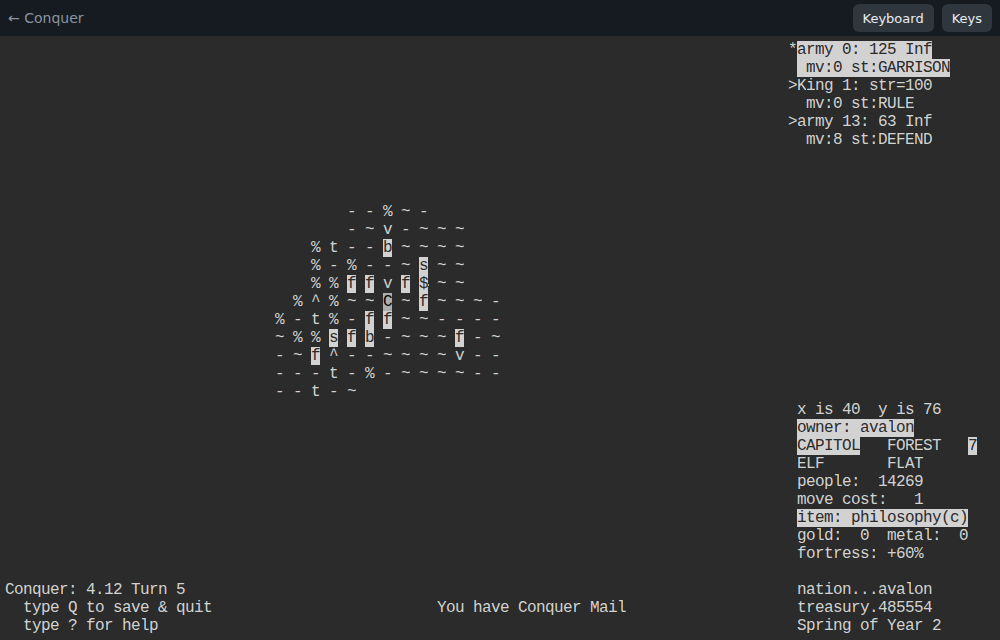
The map shows the land around your capital. The top right lists the units in the selected sector; the bottom right describes the sector under the cursor: owner, designation, vegetation, people, move cost and defences. Move the cursor with hjkl and the diagonals yubn.
The capital of avalon, marked C. Highlighted letters are your sectors: f farms, s and b other designations, $ a gold mine. Press d to change what the map shows.
Tip. The bottom line says You have Conquer Mail: press R to read messages from other rulers and from the game.
Check your armies, budget and the news
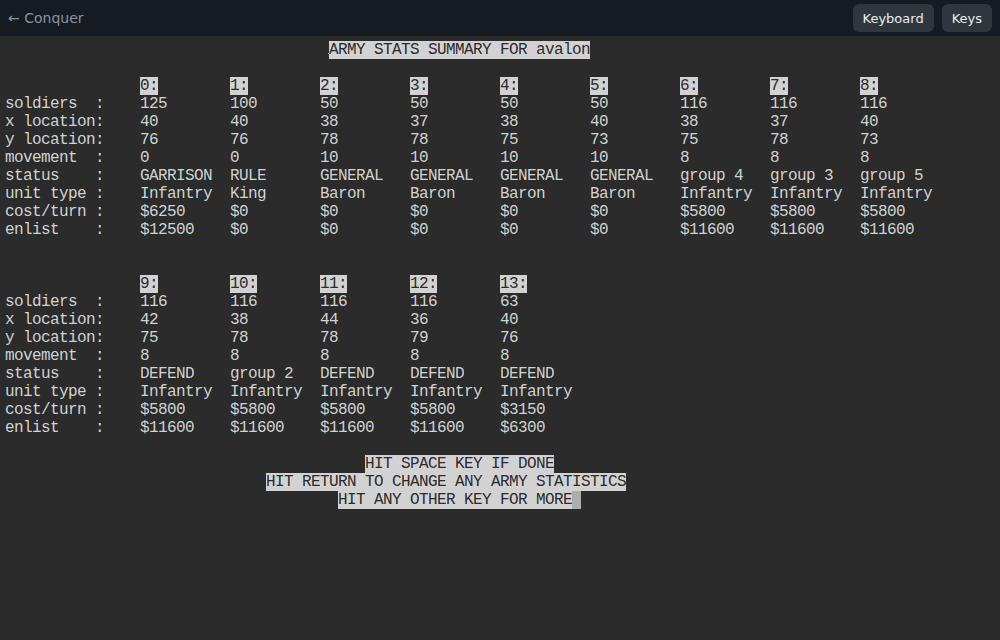
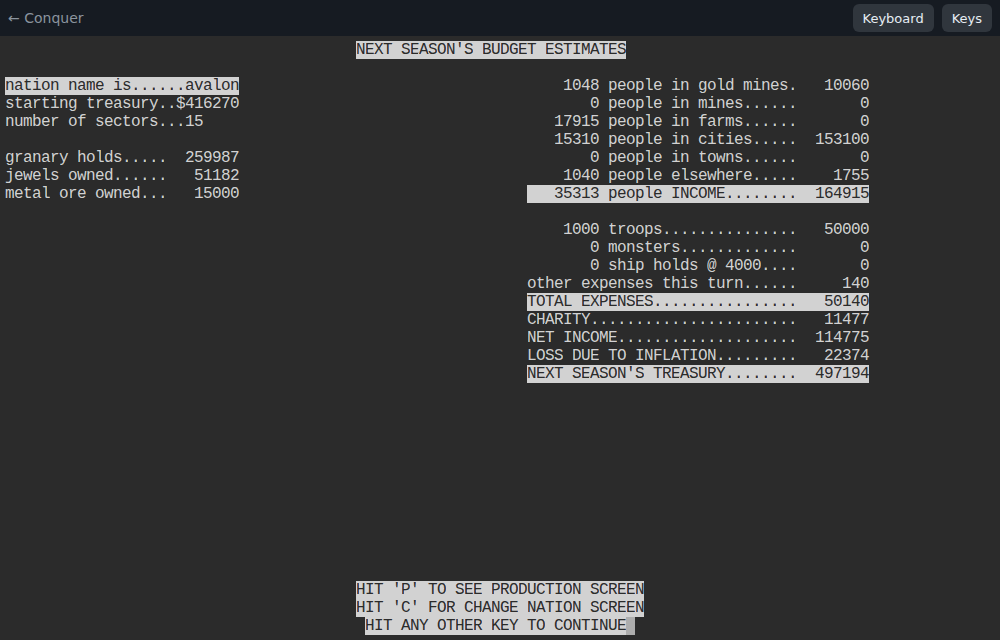
a lists every army with its size, position, status and cost per turn.B estimates next season's income, expenses and treasury.
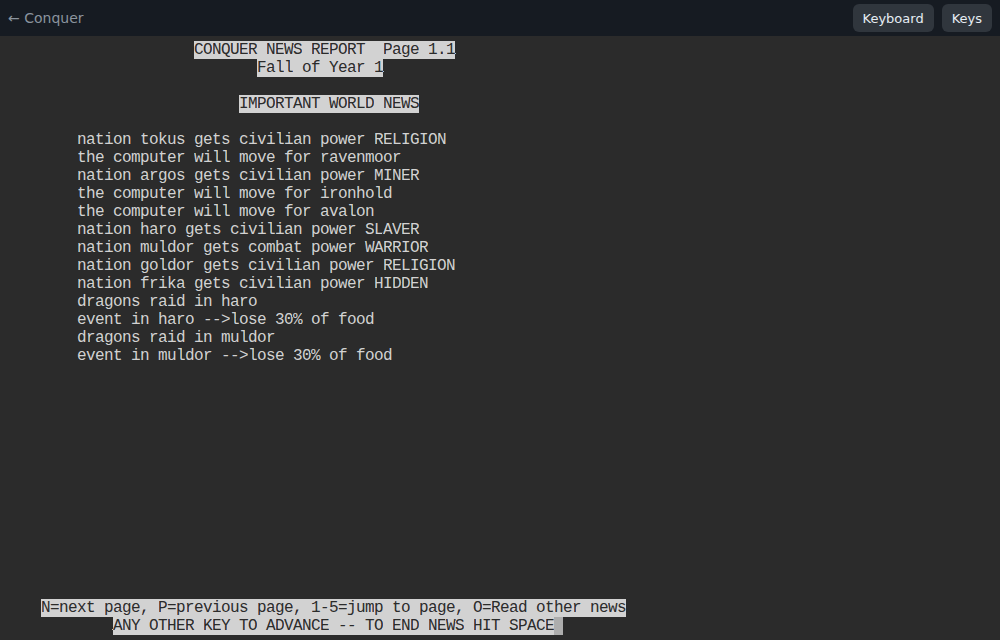
N opens the newspaper: dragon raids, new powers, battles and treaties.
Give your orders
These are the commands you use most. Press ? in the game for the full help.
Key
What it does
p
Select the next unit (army, leader or navy).
m
Move the selected unit.
D
Draft troops in a town or city.
r
Redesignate a sector: farm, mine, town, city…
C
Construct fortifications, roads or ships.
S
Diplomacy: set your status towards each nation.
W
Write a message to another ruler.
M
Magic: the powers of your nation.
P
Production report.
Ctrl-L
Redraw the screen if it looks garbled.
Quit and mark your orders done
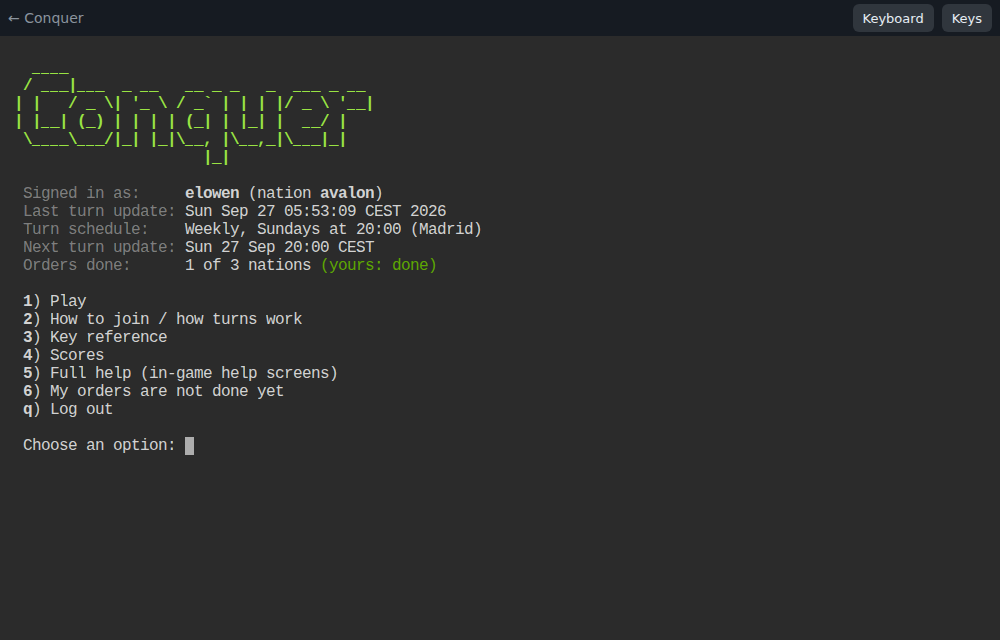
Press q to save and quit. The menu asks whether your orders for this turn are done. Answer y if you have finished; you can still log in and change your orders until the update, and option 6 in the menu undoes the mark.
After you quit.Back in the menu: 1 of 3 nations done, yours included.
Please quit when you finish. The update cannot run while someone is in the game. Players still inside are warned on screen and disconnected a few minutes before it; their orders are saved.
The turn update
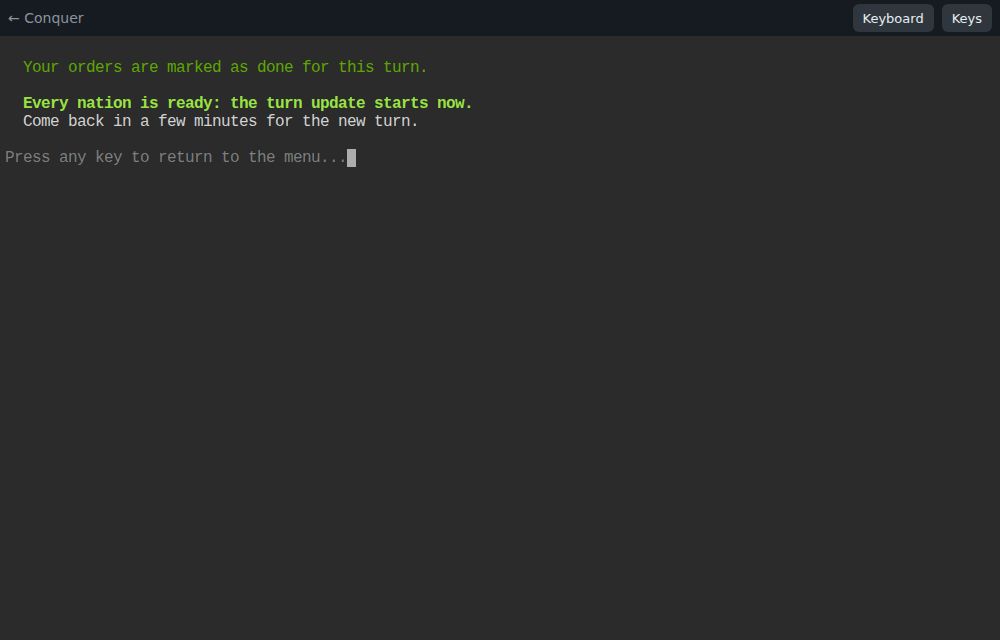
When the last nation marks its orders done, the turn runs at once instead of waiting for Sunday. Otherwise it runs at the scheduled time. A few moments later the menu, the scores and the newspaper show the new season.
The last ruler to finish starts the update.The new turn: the count starts again at 0.
The home page after the update: turn 5, Spring of Year 2.
Play from a phone
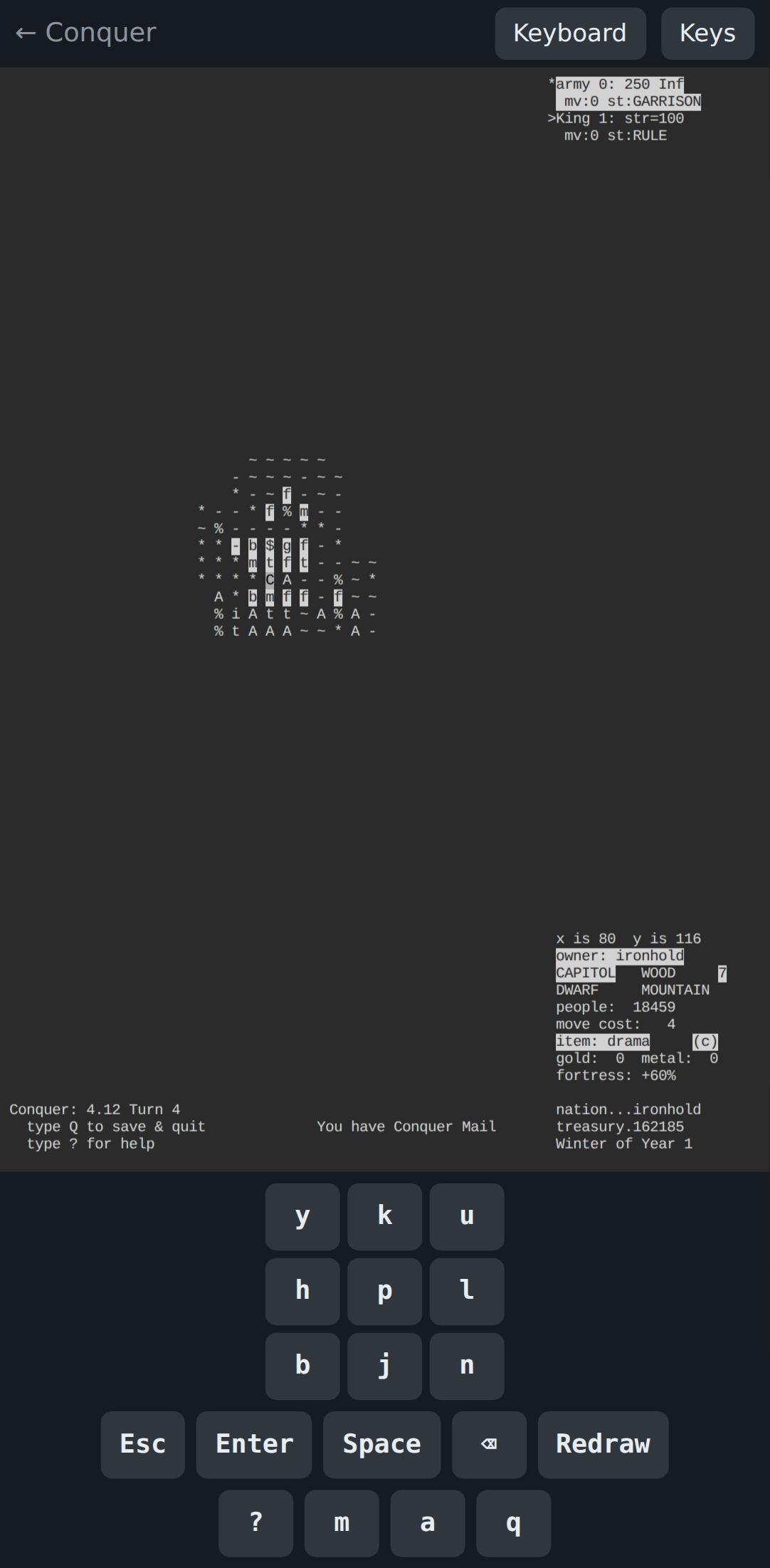
On a phone or tablet a key bar appears under the game with the movement keys, Esc, Enter, Space and the most used commands. Press Keyboard to type names and passwords, and Keys to hide or show the bar. Turning the phone sideways puts the keys in a column beside the map.
The dwarves of ironhold, played on a phone.
Advice
Advice for your first seasons
Every turn
Read your mail (R) and the newspaper (N) before anything else.
Open the budget (B). If next season's treasury is falling, you have too many troops or too few workers.
Keep an eye on food. A granary that shrinks every season ends in starvation and revolt.
Finish, quit with q and mark your orders done, so nobody waits for you.
Your first year
Grow before you fight. Take the empty land around your capital and give it a use: farms feed people, cities and mines pay.
Armies cost gold every turn (the cost/turn line of a). Draft what you need to defend and to expand, no more.
Leave a garrison in your capital. Monsters and pirates do raid.
Know your race. Each starts with a power: dwarves are miners, elves are magically cloaked (the VOID power), orcs command minor monsters and humans fight as warriors.
Diplomacy
Write to your neighbours early (W). A treaty signed in year 1 is cheaper than a war in year 3.
Set your diplomatic status (S) to match your words.
Computer-run nations follow their own logic. Judge them by what they do, not by what you write to them.
Learning the game
The in-game help (?, or option 5 in the menu) is the original manual, and it is good.
Ask the veterans. Most of them learned by losing a nation or two in 1989.
Your first nation is for learning. The second one is for winning.
Welcome back
For veterans of the 80s and 90s
The game is the one you remember: Conquer 4, patch level 12, with the same map, races, classes, magic and newspaper. The engine only received fixes for crashes and oversized maps. What changed is everything around it:
No telnet, no shell account and no .cshrc: you play in a browser tab, from anywhere.
Turns are scheduled by the administrator, weekly for now, and run early when every nation is done, so a fast group of players can play several turns a week.
The scores and the newspaper are public on the home page, so friends can follow the war without playing.
Every world is backed up before each turn.
The code is free software (GPL v3). You can read it, fix it and host your own world.
Tournaments
Tournaments and seasons
A season is one world played from turn 1 to an agreed end. These are the formats we plan to run. Each one sets how often turns run, how long the season lasts and how a winner is decided.
The Long Campaign
The classic game: a large world, weekly turns, alliances that last months.
Turns
Weekly, early when all are done
Length
12 to 16 weeks, or 3 game years
Players
8 to 20
Winner
Highest score at the last turn
For
Veterans and busy people
Daily Blitz
A turn every evening. Fast growth, fast wars, a season in a month.
Turns
Daily at 20:00, early when all are done
Length
4 weeks, about 28 turns
Players
6 to 12
Winner
Highest score
For
Players who know the keys
Weekend Rush
A live event: turns every two hours on a Saturday, everyone in the same chat room.
Turns
Every 2 hours, 10:00 to 22:00, early when all are done
Length
One day, 7 or more turns
Players
4 to 8, all online
Winner
Highest score, or the most sectors
For
Launch parties and anniversaries
Newcomers' Academy
A small world for new players only. Veterans join as mentors and answer questions, but do not rule a nation.
Turns
Twice a week
Length
6 to 8 weeks
Players
4 to 10 new players
Winner
No ranking; a certificate for every survivor
For
First-time rulers
War of Alignments
Team play: good against evil, with neutral nations free to pick a side. Teams share a chat channel.
Turns
Weekly or twice a week
Length
2 game years
Players
2 teams of 3 to 6
Winner
The team with the highest total score
For
Friends and clubs
Veterans' Classic
1988 rules. No hints and no mentors.
Turns
Nightly, as on the university machines; no early turns
Length
Until one nation dominates, or 4 game years
Players
Anyone who played before 2000, or thinks they can
Winner
Last ruler standing, or the highest score
For
Bragging rights
Fair play, in every format
One nation per person. Alliances are welcome, but shared or puppet nations are not.
Diplomacy happens in the game and in the season's chat room. Treaties can be broken; that is part of the game.
A nation whose ruler stops playing keeps running; the newspaper shows it as moved by the computer. After two missed weeks the administrator can hand it to a new player.
Bugs and exploits go to the administrator, not into your strategy.
The plan
The road to the 40th anniversary
The seasons build towards 26 October 2027, forty years after the first Usenet post. Newcomers get a gentle entry and veterans a reason to come back.
When
Season
Who it is for
Oct – Dec 2026
Season 0, closed test. Weekly turns with 4 to 8 invited players. We polish the site, the guide and the rules.
Friends and early testers
Jan – Mar 2027
Season 1, the Long Campaign: “Return of the Usenet generals”. The first open season, weekly with early turns.
Veterans, plus newcomers who finished the tutorial
Apr 2027
Daily Blitz. Four weeks, a turn every evening.
Season 1 players who want more
May – Jun 2027
Newcomers' Academy, with veterans as mentors.
New players
Jul 2027
Weekend Rush. A one-day live event.
Everyone
Sep – Oct 2027
40th Anniversary Championship, a Long Campaign with a Weekend Rush final on Saturday 23 October and the result announced on Tuesday 26 October.
The best of the year
How we will find players
Veterans read the places where Unix and retro-gaming people gather: retrocomputing forums, Mastodon, Lobsters, Hacker News and the free software communities that helped relicense the game. The history of the relicensing is a good story to tell there.
Newcomers come from strategy and 4X communities, board-game clubs and friends of current players. This guide, the Academy and short Blitz seasons are for them.
For organisers
Running a season
Each installation runs one world at a time, so seasons run one after another. The turn rhythm is set in config/production.env (or config/local.env) and applied with ./rebuild.sh --quick. The schedule is a cron expression in the time zone TZ.
Format
TURN_SCHEDULE
TURN_EARLY
Long Campaign
0 20 * * 0 (Sundays 20:00)
on
Daily Blitz
0 20 * * * (every day 20:00)
on
Weekend Rush
0 10-22/2 * * 6 (Saturdays, every 2 hours)
on
Academy
0 20 * * 3,0 (Wednesdays and Sundays)
on
Veterans' Classic
0 4 * * * (every night at 04:00)
off
Set TURN_SCHEDULE_LABEL to the same rhythm in words, since players read it in the menu and on the home page. For a Weekend Rush, lower TURN_GRACE_MINUTES to 1 or 2.
Before the first turn
./generate-world.sh                             # a fresh world (maps up to 256x256)
./add-nation.sh                                 # once per player: nation + linked account
./manage-players.sh add mentor1 --admin         # mentors and co-organisers
./manage-players.sh list                        # check every account has its nation
During the season
Open a chat room for the season and set TURN_WEBHOOK_URL so it announces every turn (Slack, Mattermost and Discord work).
Fill in ADMIN_CONTACT so players know where to ask for a nation.
Backups are taken before every turn in data/backups/; ./restore-world.sh brings one back if a turn goes wrong.
At the end, run ./season-end.sh "Season name": the final scores go to the hall of fame. Keep the last backup as the season's archive.
Hand out invite codes (./manage-players.sh invite 10) and let players build their own nations with the join account shown on the home page.
Questions
Questions
Do I have to be online at a particular time?
No. Log in whenever you like before the update. The only rule is to quit the game when you finish, so the update can run.
What happens if I miss a turn?
Your nation keeps living: people work, armies stay where they are and the computer handles the basics. You lose the chance to give orders that turn.
I forgot my nation password.
Ask the administrator. Your player account and your nation password are separate, and each can be reset.
The screen looks wrong or too small.
The game needs at least 80 columns by 24 rows. Enlarge the window or zoom out with Ctrl and -, and press Ctrl-L to redraw.
Is it really the original game?
Yes: Conquer 4.12 by Ed Barlow and Adam Bryant, compiled from the GPL release, with fixes for crashes only. The web interface is a separate project around it.
Can I host my own world?
Yes. Conquer Web and the game are free software; the conquer-web repository explains how to run it with Docker.
Your nation is waiting
Pick a race, choose a name of up to nine letters and ask the administrator for a seat in the next season. The world has been turning since 1987.